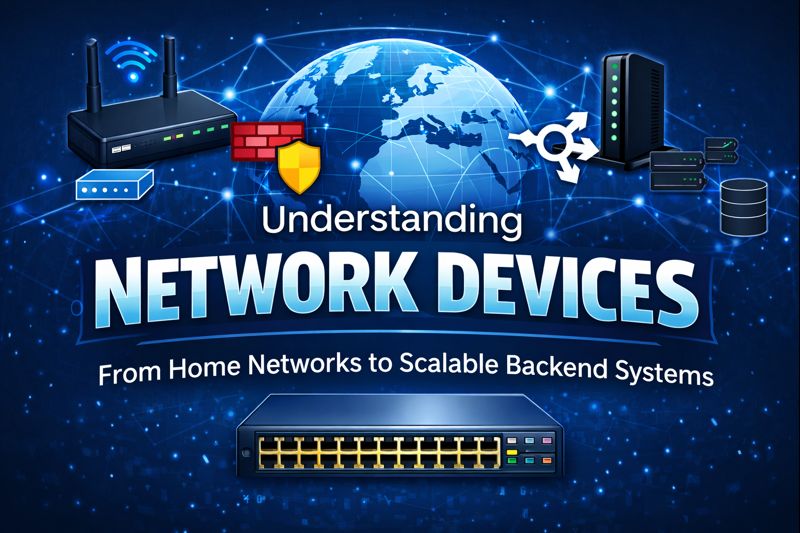
Understanding Network Devices
From Modems to Load Balancers: How Network Devices Power the Internet
Big Picture: How the Internet Reaches You
Before diving into individual devices, let’s understand the end-to-end journey of data.
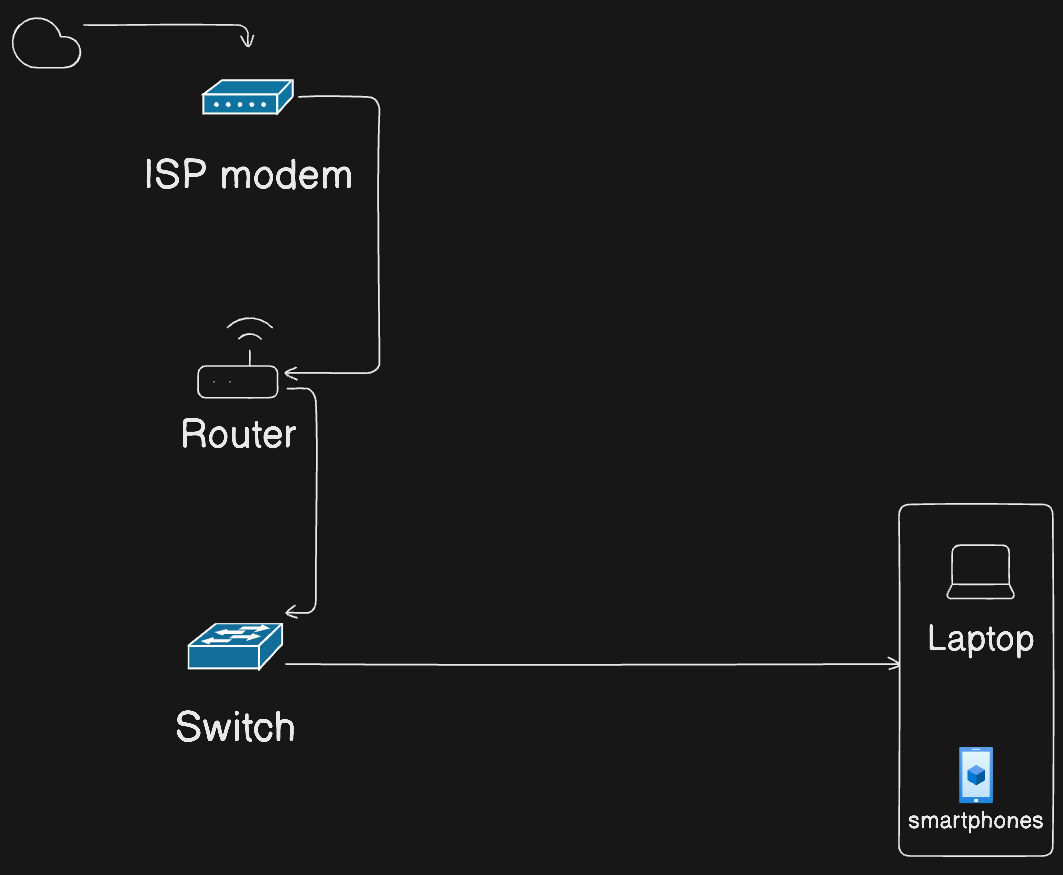
Think of the internet as a city-wide road system and your home/office network as a private colony connected to it.
What is a Modem? (Internet Translator)
A modem (Modulator - Demodulator) is a device that connects your home network to the internet by translating.
Role
A modem connects your private network with your Internet Service Providers(ISP).
What it does?
Simply convert your ISP signals (fiber, cables, DSL) into digital data.
Acts as the entry point to the network.
Analogy
🗣️ Language Translator
It’s basically a language translator like, The Internet speaks one language and your device speaks another. The modem translates.
Key point
Without a modem, your router has nothing to route.
What is a Router? (Traffic Police)
A Router is a networking device that connects to multiple network, acting as a traffic controller to find the most efficient path for information.
Role
A Router decides where traffic should go.
What it does
Assigns local IP addresses (DHCP)
Routes packets between devices and the internet
Often includes basic firewall + NAT
Analogy
🚦 Traffic Police
Looks at the destination and directs packets to the correct road.
A router gets a data packet from your device, checks its "address label" (the IP address in the header), and looks it up in its internal routing table, a list of known paths to networks. It then picks the best next stop (like another router closer to the goal) and forwards the packet there.
Modem vs Router
| Feature | Modem | Router |
| Main Job | Translates ISP signals to usable data | Directs traffic between your devices |
| Connection Type | WAN (wide area network to internet) | LAN (local network for home devices) |
| IP Address | Public IP from ISP | Private IPs for your network |
| Ports | Usually 1 Ethernet port | Multiple Ethernet/WiFi ports |
Switch vs Hub: Local Network Reality
Hub (Old & Inefficient)
Hub is a simply networking device that connects multiple computers or devices in a Local Area Network (LAN), acting as a central connection point.
Broadcasts data to all devices
No intelligence
Causes collisions
📢 Analogy: Shouting in a room
Switch (Modern & Smart)
A switch is a device that connects multiple devices on a network, intelligently directing the data packets only to the intended recipient, making networks faster and more secure.
Sends data only to the target device
Uses MAC addresses
Faster & secure
📬 Analogy: Delivering mail to exact addresses
Switches and hubs both connect devices in a local network but differ in intelligence and efficiency, with switches being smarter for modern use.
| Feature | Hub | Switch |
| Operation | Broadcasts data to all ports | Sends data only to the intended device stl+1 |
| OSI Layer | Physical (Layer 1) | Data Link (Layer 2) geeksforgeeks+1 |
| Intelligence | Dumb repeater, no MAC learning | Learns MAC addresses for direct routing stl+1 |
| Speed/Duplex | Half-duplex, collisions common | Full-duplex, no collisions per port stl+1 |
| Use Case | Obsolete for small/legacy networks | Standard for homes/offices shiksha |
Local Networks Works
Devices on a LAN send Ethernet frames with MAC addresses to a central switch (or relay hub). The switch build a MAC address table by watching incoming traffic on each port, then forwards frames only to the matching ports, avoiding floods and boosting speed. Your router links this LAN to the WAN/internet, handling IP routing while the switch manages local traffic.
Why switches matter for devs
Datacenters use high-performance switches
Reduces latency in backend communication
What is a Firewall? (Security Gate)
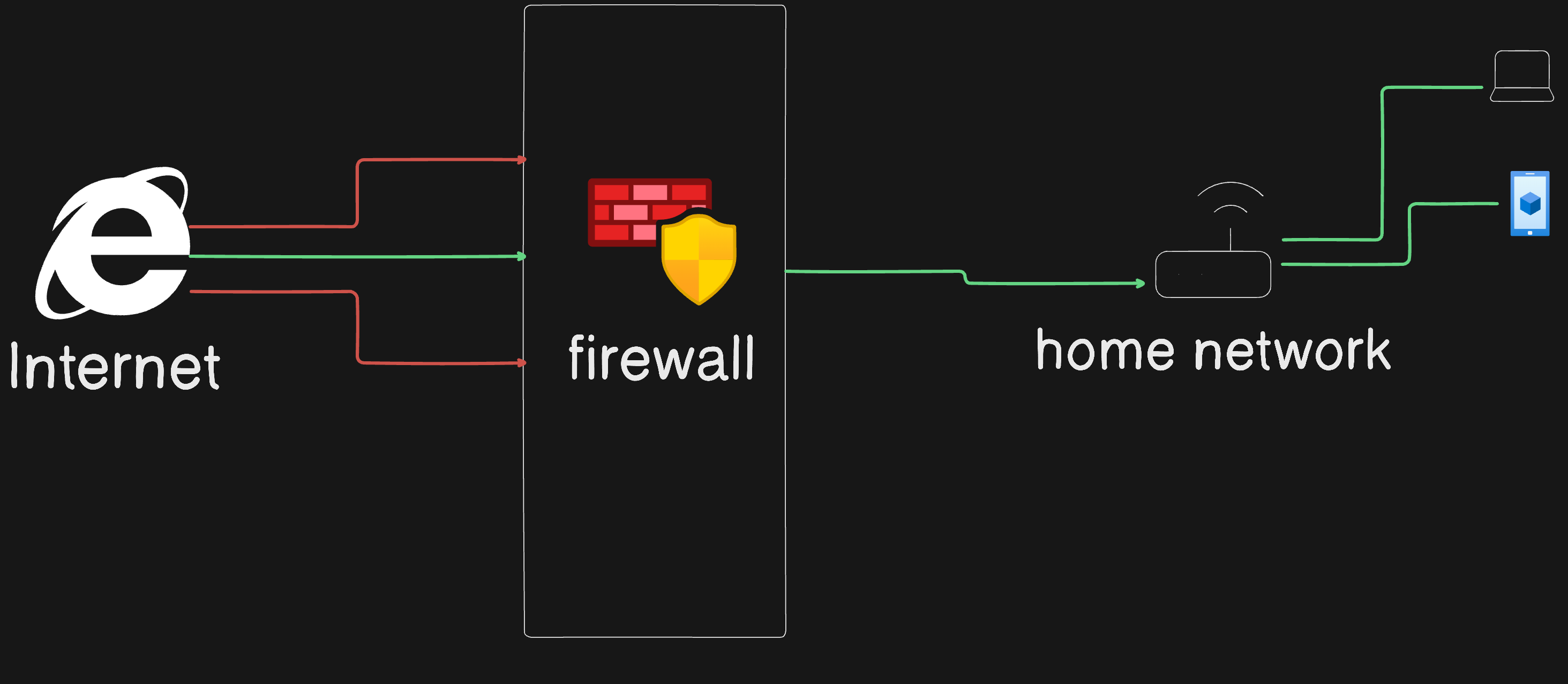
A firewall is basically a network security system, like a digital security gate, that monitors and filters incoming/outgoing traffic between a trusted network (like home/office) and untrusted networks (like the internet).
Role
A firewall controls what traffic is allowed.
Why “security lives” at the firewall
The firewall is usually the first line of defense on the network perimeter, so almost all inbound and outbound traffic must pass through it; that makes it the natural place to enforce many core security controls.
By filtering traffic there, you can block unauthorised access, malware, and known bad IPs/domains before they ever reach internal hosts, reducing the attack surface for everything behind it.
What it does
Blocks unauthorized access
Filters incoming & outgoing packets
Protects internal services
Analogy
🛂 Security Gate
Checks ID before letting anyone enter.
Developer relevance
Protects APIs
Controls open ports (80, 443, 22)
Cloud firewalls = AWS Security Groups
What is a Load Balancer? (Traffic Distributor)
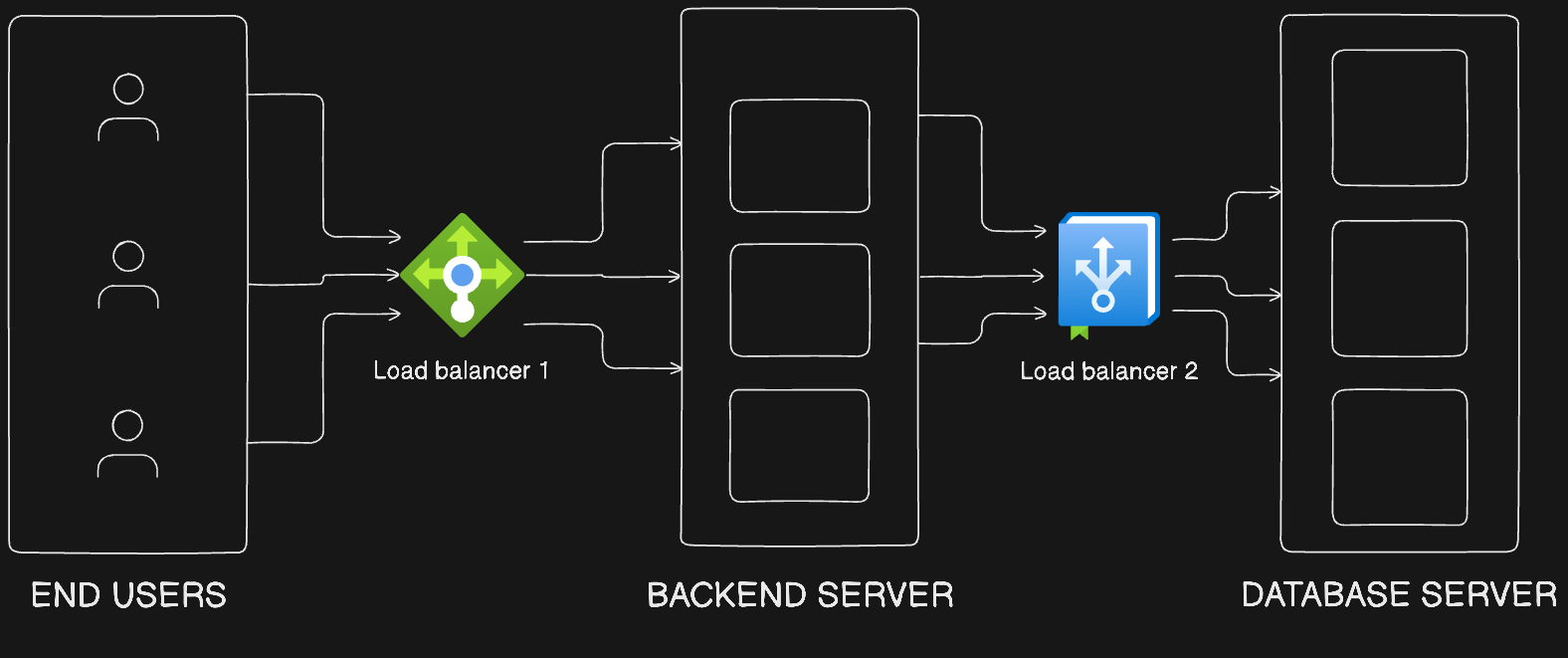
A Load Balancer is a networking device or software that distributes incoming traffic across multiple servers or resources to ensure optimal performance and availability. Scalable system relay on it to handle growing loads without single point of failures.
Role
A load balancer distributes traffic across multiple servers.
Core Function
Load balancers act as a reverse proxy, receiving client requests and routing them to healthy backend servers using algorithms like round-robin, least connections, or IP hashing. They operate at Layer 4 (transport) for TCP/UDP traffic or Layer 7 (application) for HTTP/HTTPS with content-aware routing.
Prevents server overload
Improves reliability
Enables horizontal scaling
Analogy
🎟️ Toll Booth System
Directs cars to the least crowded lane.
Scalability Benefits
Scalable systems need load balancers to automatically scale capacity by adding or removing servers dynamically as traffic spikes, preventing overload on any single instance. This enables horizontal scaling in cloud environments like AWS or Azure, supporting millions of requests per second without downtime.
Why backend systems need it
High availability
Zero downtime deployments
Scales with traffic
How All These Devices Work Together
Real-world web app flow traces a request from user input through network infrastructure to data storage and back. This path ensures secure, scalable handling of traffic in production environments. Each component plays a specific role in processing, routing, and securing the request.
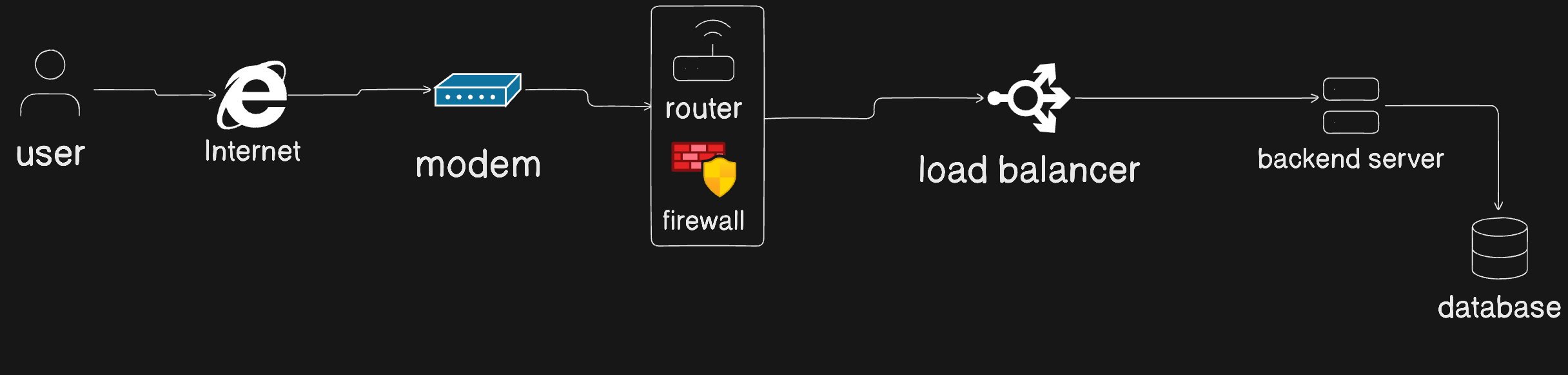
Each device has one clear responsibility — together they form a reliable system.
Connecting This to Backend & Production Systems
As a web developer, these concepts map directly to:
APIs behind load balancers
Firewalls protecting services
Switches connecting servers inside datacenters
Routers handling inter-network traffic
Your backend code doesn’t run in isolation — it lives inside this network stack.
Final Takeaway
Modem = Internet entry
Router = Traffic direction
Switch = Efficient local communication
Hub = Legacy broadcast device
Firewall = Security control
Load Balancer = Scalability backbone